
You are using an out of date browser. It may not display this or other websites correctly.
You should upgrade or use an alternative browser.
You should upgrade or use an alternative browser.
3.2.56 Beta
- Thread starter mikelove
- Start date

HW60
状元
I had Pleco folders in internal and external memory. I deleted the Pleco folder on my SD card and uninstalled Pleco. There were no Pleco folders then. Then I installed Pleco again, changed the registration ID, loaded all Add-ons and flashcard db and user dictionary. Now I have 2 Pleco folders again, the internal Pleco folder is empty. Pleco is running from my SD card. Is that intended? I think Pleco takes longer than before to load my exported flashcards into a new user dictionary. How can I get Pleco beck to internal memory?
Last edited:
Does this mean we will no longer have the folder "databases" with the "Pleco Flashcard Database.pqb" and our own created dictionaries?Up now on Play. (https://play.google.com/apps/testing/com.pleco.chinesesystem to sign up)
- No more 'bundled data files'; everything is in the APK. So Pleco starts instantly on first run + will no longer give you any startup errors about missing files or any prompts to give it file storage access permission. (the same hassle-free all-in-one experience our iOS users have enjoyed for years, and one which we expect will greatly improve the first impression we make to new users, along with saving us a couple hundred dollars a month in bandwidth charges from the many many users who download our app from sketchy third-party app stores that mirror the app but not its expansion data files)
Last edited:

@kun4 - beta is probably looking in the wrong directory; do you have /Android/data/com.pleco.chinesesystem folders in both internal and external memory? Look for the one with a 'databases' directory containing your user dictionary, then install that user dictionary via Settings / Manage Dictionaries and restore your flashcards from there via Import/Export / Restore Database.
@HW60 - not intended, probably a bug. Should be fixed in the next beta, if it's unbearable until then I'm afraid all I can suggest is that you either remove your SD card (thus forcing Pleco to use internal memory) or revert to a non-beta version.
@Miguel - no, only the 'bmodules' files are moving into the app; you'll still be able to access your user-created data with a file manager just as now, that's a pretty important emergency fallback file retrieval method which we'd be extremely reluctant to remove
@HW60 - not intended, probably a bug. Should be fixed in the next beta, if it's unbearable until then I'm afraid all I can suggest is that you either remove your SD card (thus forcing Pleco to use internal memory) or revert to a non-beta version.
@Miguel - no, only the 'bmodules' files are moving into the app; you'll still be able to access your user-created data with a file manager just as now, that's a pretty important emergency fallback file retrieval method which we'd be extremely reluctant to remove
Last edited:
@crush - They are almost certainly still there, just in another folder - installing the beta wouldn't delete anything unless you installed it from a different source than you originally installed Pleco from. Per my instructions to kun4 in my previous post, check the internal and external com.pleco.chinesesystem folders and restore your flashcards from whichever one of those Pleco is not currently using.

Beta 2 up on Play:
- New OCR preview is available; option for that in Settings / OCR / New OCR. (you may have to restart Pleco before it applies)
Of particular note is the new motion tracking system in live OCR; while it'll be a bit choppy on anything but a very new phone, even on older ones it should feel a lot better than the old system. (exactly how new a phone has to be to get this feature is still TBD)
We also now hold the last live frame on pause so you can scroll around in it to recognize text outside of the recognition area. Still OCR has a slightly less wonky image view (which we're still tweaking) and both live and still benefit from more aggressive character size fitting; the overlays look a lot more painted onto the underlying text than they used to (more AR-ish) Both live and gliding-around still also now target text in the middle of the scrolling frame instead of at the start of the box, but you can tap on any character to select it.
A 'snap OCR' feature is still coming but we're trying to get the existing OCR revamp working well first. (we did add a 'hide non-Chinese' option per @Bvo and others' request)
- New OCR engine for beta-testers of that is in too (email / PM your Registration ID if you'd like to participate), Registration / Check for other Purchases to activate, "Add-ons" / "Purchased but not downloaded" to install, then tap on the 'jia' character icon in the camera or photo options bar. 'yi' character = new engine for everything, 'bing' character = new engine for layout analysis and old engine for character recognition (where it sometimes outperforms the old one, at least for low-resolution characters).
- EPUB support now added to the reader, with an assist from an up-and-coming open source Android EPUB parser; this only works with EPUB 2 at the moment and doesn't support every feature / formatting quirk you might like, and it can be a bit slow on loading for really enormous EPUBs (not unlike our iOS app...), but for the basic task of reading minimally formatted text in something with chapters that you didn't have to buy from us it should be quite serviceable.
- Disappearing file bugs from Beta 1 should hopefully be fixed - Pleco will now default to whichever com.pleco.chinesesystem directory has the most recently updated flashcard database. Let us know if you have any more missing database problems.
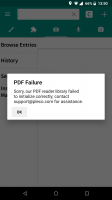
- Updated version of our PDF decoder library which should fix a lot of documents that previously rendered blank or otherwise incorrectly; we also increased the resolution for PDF rendering on devices with >= 2GB of RAM.
Just updated the beta again to fix a couple of newly discovered crashes in EPUB support and also enable an optimization we added for EPUB for Pleco e-books as well; if you install this new third beta along with the update to New Manual in "Add-ons," you should see that the New Manual loads much, much faster than it did before.

HW60
状元
No changes in 3.2.56 of Dec 15.Recently - maybe shortly before Pleco 3.2.56 Beta - in File Reader/List Recent Files I select a .txt-file (UTF 8) from the list, and Pleco says "Could not open file. Sorry, this file could not be opened." I can open the file with File Reader/Open New File.
@HW60 - Hmm... by any chance does Pleco no longer have permission to access external storage in the system Settings app / Applications? Since 3.2.56 does not have to store any of its built-in files on SD, it wouldn't ask for that permission on startup like old versions did, and so might be missing it now.
Hi, Mike.
Just tried New OCR engine - cannot see a big difference in skipping non-hanzi chars.
The engines are a bit different, but it seems the new one makes even more mistakes in distinguishing that kind of chars (even for clear readable pinyin with tones).
PS: I'm still asking just to make the green box movable
The main purpose of this functionality is not to read "real" Chinese books, but to read a learning content - tutors, special texts with Pinyin, bilingual texts, etc. Usually this kind of content has repeated blocks, i.e.:
__
a string of hanzi
a string if pinyin
hanzi
pinyin
hanzi
pinyin
...
__
So it's easy to adjust the box once and just to move it along a page, skipping non-hanzi strings and putting on Chinese chars only.
Just tried New OCR engine - cannot see a big difference in skipping non-hanzi chars.
The engines are a bit different, but it seems the new one makes even more mistakes in distinguishing that kind of chars (even for clear readable pinyin with tones).
PS: I'm still asking just to make the green box movable
The main purpose of this functionality is not to read "real" Chinese books, but to read a learning content - tutors, special texts with Pinyin, bilingual texts, etc. Usually this kind of content has repeated blocks, i.e.:
__
a string of hanzi
a string if pinyin
hanzi
pinyin
hanzi
pinyin
...
__
So it's easy to adjust the box once and just to move it along a page, skipping non-hanzi strings and putting on Chinese chars only.
Last edited:
HW60
状元
In the system settings/apps Pleco has permission to camera and storage - there is no separate permission for external storage. And there is no problem opening one of the recent files by Open new file.@HW60 - Hmm... by any chance does Pleco no longer have permission to access external storage in the system Settings app / Applications?
@Bvo - is this the new OCR *engine*? I don't believe you signed up for the beta of that - if you email/PM me your registration ID I can add you to the beta, after which you would download the new engine (extra add-on) and then switch to it by tapping on the 'jia' character icon in the photo options bar.
@HW60 - hmm... another possibility is that somewhere in the process of deleting and reinstalling Pleco those links became invalidated; if you opened them through the system file chooser, they would actually be a special kind of URL that embeds a key to grant our app access to an otherwise-private file. Does this only happen with recent files from before your most recent update/reinstall or does it happen with newly opened files too? Where are you opening them from - which section of the file chooser + which directory?
@HW60 - hmm... another possibility is that somewhere in the process of deleting and reinstalling Pleco those links became invalidated; if you opened them through the system file chooser, they would actually be a special kind of URL that embeds a key to grant our app access to an otherwise-private file. Does this only happen with recent files from before your most recent update/reinstall or does it happen with newly opened files too? Where are you opening them from - which section of the file chooser + which directory?