File reader doesnt work

aimuliang

Member
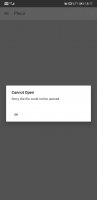
I opened a pdf file no problem, 2nd time I try to open the exact same pdf it doesn't work. It says
Cannot Open
Sorry the file could not be opened.

And then it simply won't open ANY file. Like nothing. I try any other file, same response. I uninstalled and re-installed the app, and it works! Then guess what, 2nd time trying to open, exact same problem.

I can't uninstall and reinstall all the time like this.

Please help. Thank you.

 

Attachments

  • Screenshot_20210908-093236_Pleco.jpg
    Screenshot_20210908-093236_Pleco.jpg
    104.5 KB · Views: 585
Is this only when reopening files from your recent history? Also, are the files in the "Downloads" folder by any chance (and does it help if you open them from somewhere else)?

Also, what model of Android phone are you using and what version of Android is it running?
 
I have the same problem, i couldn't open any pdf file with pleco reader, using Huawei P20 Pro Android 10
 

Attachments

  • Screenshot_20211023_181733_com.pleco.chinesesystem.jpg
    Screenshot_20211023_181733_com.pleco.chinesesystem.jpg
    72.9 KB · Views: 700
Latest version of Pleco? Also, are you opening it from within Pleco's file open dialog or are you sharing a file with Pleco / opening it from within a file browser app? (the latter doesn't work reliably, especially on Huawei phones - the permission handoffs are jumbled)
 
Does Pleco have permission to access external storage? And which folder are these PDF files stored in? Could you try moving them to, say, /Documents or /Downloads and see if it works better from there?
 
Thank you Mike for your concern, but still can't open, Pleco have permission to external storage, and also tried to copy pdf files to /downloads & /documents and still having the same problem, i just wonder if it is only me having that problem?
 

Attachments

  • Screenshot_20211028_171905.jpg
    Screenshot_20211028_171905.jpg
    50.2 KB · Views: 597
We've had one or two other reports of it but haven't been able to reproduce it. Is it just the PDF reader that's giving you trouble?
 
We've got an experimental fix for this submitted to Google for beta testing; if you go to:


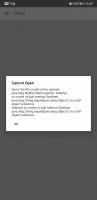
it should download automatically once they approve it. It also has better error reporting, so if it still doesn't work it should at least give us a more useful error message explaining why.
 
Hi Mike, after the last update having that msg
 

Attachments

  • Screenshot_20211106_154920_com.pleco.chinesesystem.jpg
    Screenshot_20211106_154920_com.pleco.chinesesystem.jpg
    171.7 KB · Views: 730
Is there a blank / weird looking entry in your recent file history by any chance? Can you try deleting it?
 
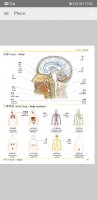
I cleared all files from history and finally it works, thank you so much Mike ✌
 

Attachments

  • Screenshot_20211107_155614_com.pleco.chinesesystem.jpg
    Screenshot_20211107_155614_com.pleco.chinesesystem.jpg
    509.7 KB · Views: 696
Back
Top