

Shun
状元
Hello Mike,
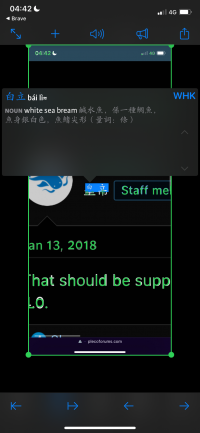
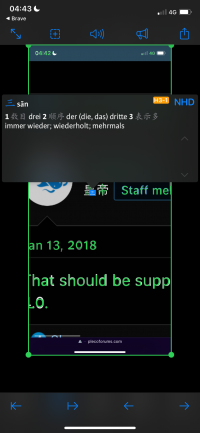
when I pass an enlarged screenshot containing Chinese characters to the Pleco 4.0 beta 31 Still OCR module, the OCR recognizer splits the characters into subcharacters.
The full image:

Recognizing the top half of 皇帝:
Recognizing the bottom half:
It doesn't happen with normal-sized characters.
Could there be a way to make Pleco recognize large characters?
Cheers, Shun
when I pass an enlarged screenshot containing Chinese characters to the Pleco 4.0 beta 31 Still OCR module, the OCR recognizer splits the characters into subcharacters.
The full image:
Recognizing the top half of 皇帝:
Recognizing the bottom half:
It doesn't happen with normal-sized characters.
Could there be a way to make Pleco recognize large characters?
Cheers, Shun
